[size=medium]Lenovo A690[/size] is a classic and practical smartphone that Lenovo has produced, And here is Lenovo A690 ROM Procedure for your reference! If you want other ROM tool, just leave a message to us on [size=medium]1949deal[/size].

(1) First, switch off your Smartphone, the “install the drive tip” dialogue will pop up, choose your unzipping folder of your drive to the catalogue
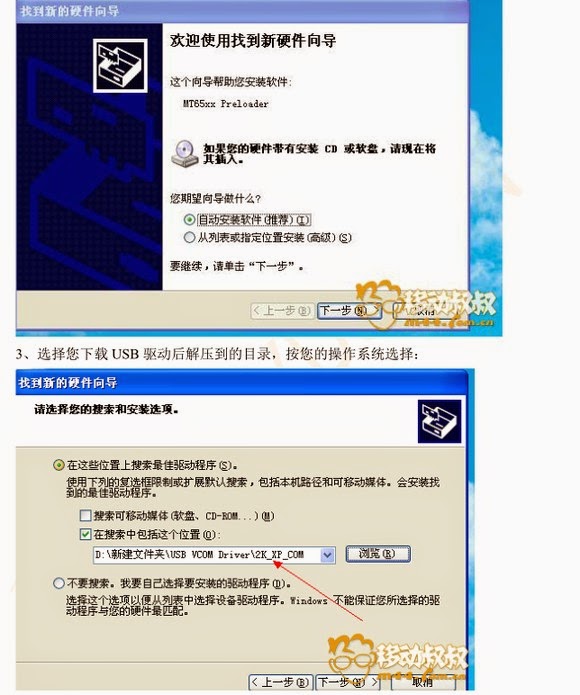
(2) then equip the drive well, and turn on the phone to prepare for flashing.
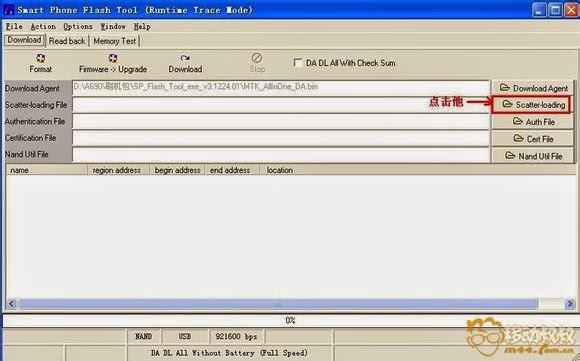
(3)First, open the flash tool: 
then the dialogue will appear, Click “scatter-loading”,
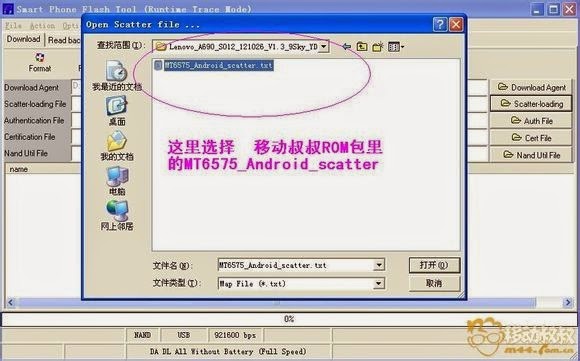
(4) then choose the catalogue “MT6575XXX” of “mobile uncle ROM file”, click to open.
(5) Then it will be defaulted, no need to change anything, just click the “Download” as the picture told.
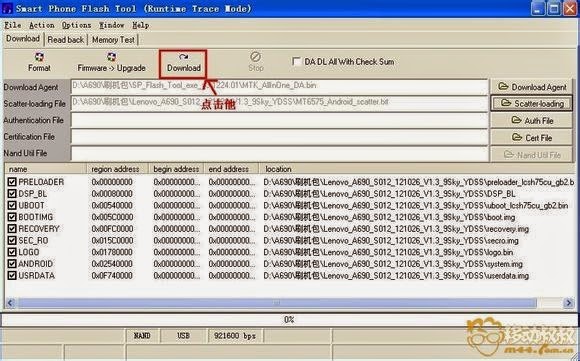
(6) Next, when you finish the last step, just plug out the usb cable and turn off the phone, take off the SIM Card and TF card, and battery. Then plug the usb cable again, if the system still reminded you to install the drive, then just equip again like what you did before.
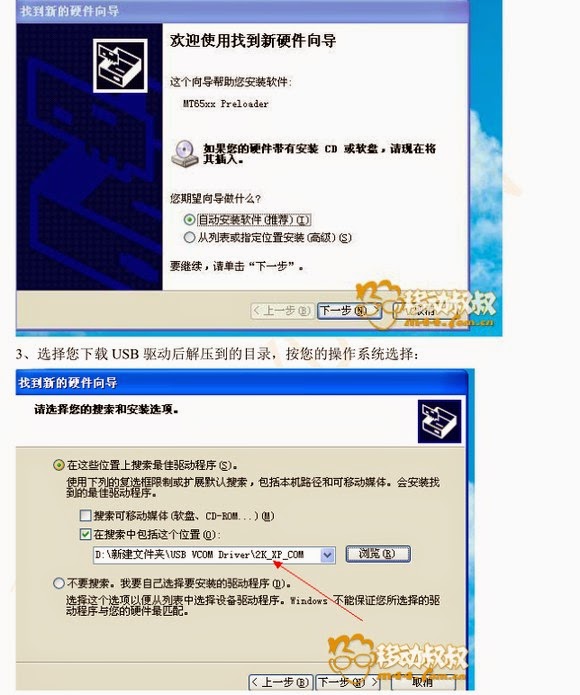
(7) After you choose the unzip folder of your drive to the catalogue, progress bar will move, please remember don’t do any operation when the progress bar is moving, and keep the usb cable plug well, don’t turn on the computer, the whole process will take about 5 minutes.
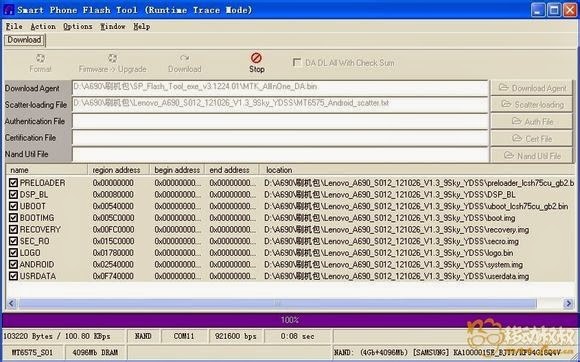
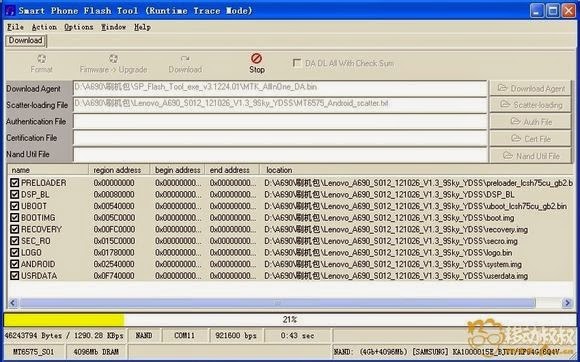
( When the following screen is coming out, it shows you have flashed it successfully, and solve the problem of limited ROM.
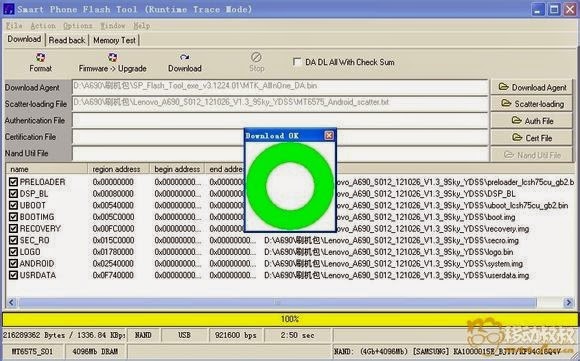
(9) Flashing is over!
.
