Recently, i got a ROM of Inew v3 from 1949deal. I have to thank 1949deal that he helps me to upgrade the my phone.
Now i want to share how to install iNew V3 rom to you!
This iNew V3 Rom fix many errors including camera problems, NFC, OTG and many other bugs or problems.
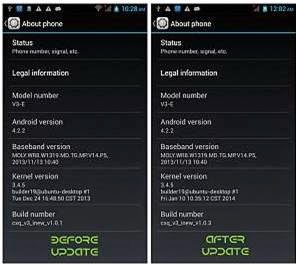
Download a driver for device from [size=medium]here[/size]. After that you need to download Flash tool from [size=medium]here[/size]. And finally the ROM for iNew V3 you can downlod from [size=medium]here.[/size]
How to install the [size=medium]iNew V3 Rom[/size]
Prepare the Flash tool, then install the driver for the phone. You need to connect the phone to the computer via USB cable. Then your computer will recognize the phone as MT65XX preloader. If your computer does not recognize the new device then you need to go to device manager and find it. See photo below.

When you install the driver, then you need to run the program Flash Tool.exe. After entering go and check the USB Mode. Thereafter click Scatter-loading button and select the txt file from folder.
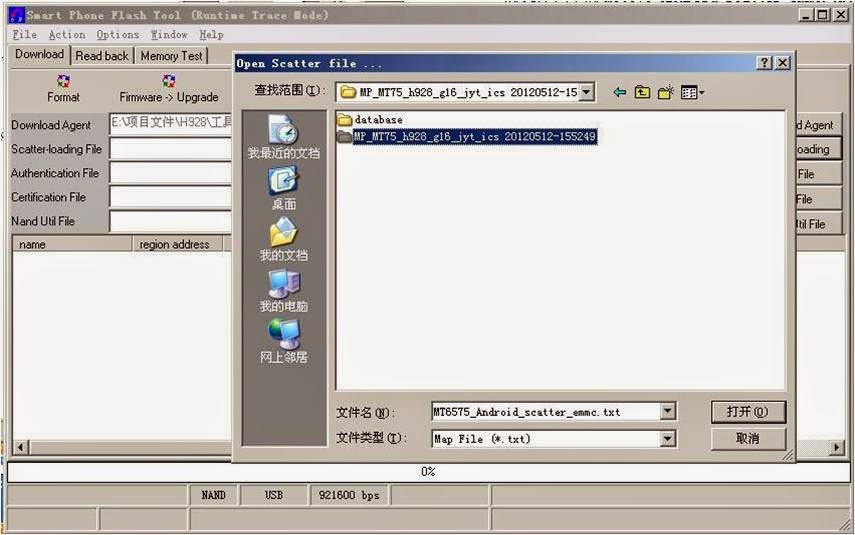
When you load the txt file, this should look like this.

In the last step you need to click Firmware-Upgrade. Right after that you need to plug in the phone to the PC(phone needs to be turned off). Firmware upgrade will start running until you see the green circle. Then upgrade of new ROM for the iNew V3 is finished. I am not responsible for the possible problems, you are doing this at your own risk.

.
